Remember the days when hitting a stable 60 frames per second (fps) at 1080p felt like a luxury? Fast forward to today, and gamers are increasingly demanding buttery-smooth 120fps, 4K resolutions, and even higher, often pushing hardware to its absolute limit. This insatiable hunger for visual fidelity and performance has ushered in a fascinating new era of display technology, and at its forefront is frame generation. This isn't just a minor tweak; it's a revolutionary technique leveraging artificial intelligence to fundamentally change how your games look and feel, bringing unprecedented performance boosts and smoother gameplay to countless titles.
But what exactly is frame generation, and how does it deliver on these promises without requiring you to buy a new, top-tier graphics card every year? Let's dive into this game-changing technology and uncover its true power.
At a Glance: What You'll Learn About Frame Generation
- It's AI Magic: Frame generation uses deep learning to create entirely new, "predicted" frames between those your GPU actually renders.
- Not Upscaling: It's distinct from upscaling (like DLSS/FSR), which renders at a lower resolution and then expands it. You can use both together!
- Massive Performance Gains: Expect significantly higher perceived frame rates, often doubling or more, especially in graphically demanding games.
- Silky Smooth Visuals: Higher FPS translates to noticeably smoother motion, reducing stutter and eye strain.
- Extends Hardware Life: It can give older, mid-range GPUs a new lease on life, enabling them to run modern games at higher settings.
- The Latency Trade-off: The biggest drawback is added input lag, making it less ideal for competitive online multiplayer.
- Visual Artifacts Can Occur: While improving, AI can sometimes mispredict, leading to visual glitches like ghosting in complex scenes.
- Best for Single-Player: Adventure, RPGs, and open-world games are prime candidates where visual smoothness trumps competitive responsiveness.
- NVIDIA, AMD, Intel: Each major GPU maker has its own version (DLSS 3, FSR, XeSS) with varying approaches.
Unpacking the Tech: What is Frame Generation, Really?
Imagine you're watching a flipbook animation. Traditionally, an artist draws every single page. Upscaling, in this analogy, would be like drawing fewer, smaller pages and then magically making them bigger and clearer for the final book. Frame generation, however, is like having an AI assistant look at two completed drawings (say, page 1 and page 3) and then intelligently guess and draw what page 2 should look like, filling in the gap with an entirely new creation.
Specifically, frame generation harnesses deep learning AI to create intermediary frames that never existed before. Your GPU renders "Frame One" and "Frame Three," and the AI then analyzes these two frames, along with motion vectors and other data, to predict and generate a completely new "Frame Two" to display in between them. This effectively boosts the displayed frame rate without your GPU needing to render every single frame itself. Multi-frame generation takes this even further, potentially creating three out of every four frames you see.
It's crucial to understand this distinction from upscaling (like NVIDIA's DLSS Super Resolution or AMD's FSR). Upscaling takes a frame rendered at a lower resolution (e.g., 1080p), and then intelligently "expands" it to a higher resolution (e.g., 4K), using AI to fill in the missing pixel data and improve image quality. Frame generation, on the other hand, creates entirely new frames from scratch, inserting them into the timeline. The real power often comes from combining both: your GPU renders fewer, lower-resolution frames, which are then upscaled and used as a basis for generating even more frames. It's a double-whammy for performance.
Why the World Needs Frame Generation: The Pixel Race
The demand curve for gaming performance is relentless. Modern games are pushing visual boundaries with incredibly detailed environments, advanced lighting, and complex physics. Simultaneously, gamers want to experience these worlds in stunning 4K resolution (which means rendering four times the pixels of 1080p!) and at lightning-fast frame rates (60fps, 120fps, even 240fps) for the ultimate immersive experience.
This combination creates a colossal rendering workload that even the most powerful, cutting-edge GPUs can struggle with, especially in visually demanding titles like sprawling open-world adventures or fast-paced action games. Frame generation steps in as a clever workaround, allowing GPUs to achieve significantly higher perceived frame rates without needing raw, brute-force rendering power for every single frame. This innovative approach is precisely why the benefits of frame generation are becoming so compelling.
The Core Advantages: Performance and Fluidity Unleashed
So, what does this AI magic actually translate to for you, the player? The advantages are significant and immediately noticeable in many scenarios.
Experiencing Massive Performance Boosts
This is the headline feature: frame generation can drastically increase your in-game frame rates. Where your GPU might natively render 50-60 frames per second, enabling frame generation could push that to 90-120 fps or even higher. This isn't just a minor bump; it's often a game-changing uplift that allows you to:
- Play at Higher Settings: Crank up those texture details, shadow quality, and anti-aliasing without suffering a slideshow.
- Achieve Higher Resolutions: Enjoy gaming at 4K or ultrawide resolutions that were previously out of reach with your current hardware.
- Unlock Higher Refresh Rate Monitors: Finally get the most out of your 120Hz or 144Hz monitor, seeing more frames per second than your GPU could natively produce.
Think of playing a graphically intensive RPG like Cyberpunk 2077 or Alan Wake 2. With frame generation, you can often push those demanding titles into a much smoother frame rate range, making the entire experience more fluid and responsive, even on hardware that would otherwise be struggling.
Smoother, More Immersive Gameplay
Beyond just numbers, higher frame rates fundamentally change how a game feels. With frame generation, you'll immediately notice:
- Reduced Stutter and Choppiness: The additional interpolated frames smooth out the gaps between rendered frames, creating a much more continuous motion. This is particularly noticeable when panning the camera or moving quickly through detailed environments.
- Less Eye Strain: A smoother visual experience is simply more comfortable to watch. The reduced choppiness means your eyes don't have to work as hard to track movement, leading to less fatigue during long gaming sessions.
- A More "Cinematic" Feel: In games where visual storytelling and atmosphere are paramount, the fluid motion can heighten immersion, making the game world feel more alive and responsive to your inputs (visually, at least).
The feeling of motion becomes less like a series of still images flashed rapidly and more like continuous, natural movement, akin to the difference between a low-framerate video and a high-framerate one.
Extending the Usable Life of Your Hardware
One of the most practical benefits of frame generation is its ability to give your existing graphics card a serious shot in the arm. Instead of needing to upgrade to the latest, most expensive GPU every couple of years to keep up with demanding new titles, frame generation can bridge the gap.
A mid-range GPU from a few years ago might struggle to maintain 60fps in a brand-new AAA game. By enabling frame generation, you could see that frame rate jump into the 80s or 90s, making the game perfectly playable and enjoyable. This not only saves you money but also represents a more sustainable approach to PC gaming, maximizing the lifespan and value of your initial hardware investment.
The Other Side of the Coin: Understanding the Trade-offs
While the benefits are significant, frame generation isn't a magic bullet without its compromises. Like any advanced technology, it comes with specific drawbacks that are crucial to understand, especially when deciding if and when to use it. If you're pondering is frame generation really bad? then paying attention to these points will provide clarity.
Visual Artifacts: When AI Guesses Wrong
The AI generating frames is, at its heart, making an educated guess. Most of the time, it's incredibly accurate. However, in certain complex or rapidly changing scenarios, it can get things wrong, leading to "visual artifacts." These can manifest as:
- Ghosting: Objects leave a faint trail behind them as they move.
- Smearing: Fast-moving elements appear blurred or stretched beyond their natural motion blur.
- Warped Geometry: Edges or parts of objects briefly appear distorted or misshapen.
- UI Glitches: On-screen displays (HUD, cursors, text) can sometimes flicker or appear misaligned.
These artifacts are more likely to occur in scenes with: - Explosions and Particle Effects: Lots of chaotic, unpredictable movement.
- Overlapping Motion: Multiple objects moving in different directions simultaneously.
- Sudden Camera Cuts: Abrupt changes in perspective can confuse the AI.
Developers are continuously refining these systems with better motion vectors and more sophisticated AI models, greatly reducing the occurrence and severity of these issues. In many fast-paced games, you might not even notice them. But in slower, atmospheric titles where visual fidelity is paramount, artifacts can detract from the experience.
Input Latency: The Delay Between Action and Reaction
This is arguably the most significant limitation of frame generation, especially for competitive players. Because generated frames are based on past rendered images and your past inputs, they introduce a slight delay between when you perform an action (like clicking your mouse) and when that action is reflected on your screen. This is known as "input latency" or "input lag."
Think of it this way: your GPU renders Frame 1, then you click. The AI generates Frame 2 based on Frame 1, and then your click registers on Frame 3. So, the generated Frame 2 doesn't yet show the result of your click. While this delay is often measured in mere milliseconds, those milliseconds can make a world of difference in competitive online games like Overwatch 2, Fortnite, or Valorant. A shot that appears to hit on your screen might register as a miss on the server due to the slight lag, leading to frustrating scenarios. This is a critical factor when understanding input lag in competitive gaming.
For this reason, competitive players almost universally disable frame generation, opting for raw rendering performance and minimal lag. For casual players, especially in single-player games where a fraction of a second isn't life or death, this latency is far less impactful and can often be mitigated by combining frame generation with other tools like NVIDIA Reflex, which works to reduce overall system latency.
The Big Players: Key Frame Generation Technologies
Each major GPU manufacturer has developed its own flavor of frame generation, each with unique characteristics and levels of integration.
NVIDIA DLSS 3 Frame Generation
NVIDIA's Deep Learning Super Sampling (DLSS) 3 is arguably the most advanced and widely adopted frame generation technology. It's exclusive to their RTX 40-series GPUs (Ada Lovelace architecture) because it leverages dedicated hardware:
- Tensor Cores: Used for the deep learning algorithms that power both upscaling and frame generation.
- Optical Flow Accelerator (OFA): A specialized hardware component that analyzes two sequential frames and calculates the movement of pixels (optical flow data) between them. This data is crucial for the AI to accurately predict and generate the intermediary frames.
DLSS 3 requires game-specific integration, meaning developers must add support for it. When it's implemented, it typically offers excellent image quality and significant performance uplifts, often doubling frame rates or more.
AMD Fluid Motion Frames (FSR 3)
AMD's FidelityFX Super Resolution (FSR) 3, including Fluid Motion Frames (FMF), is AMD's answer to frame generation. Unlike DLSS 3, FSR 3 is an open standard and is designed to be hardware-agnostic, meaning it can run on a wider range of GPUs, including older AMD cards and even NVIDIA or Intel cards.
- Driver-Level Interpolation: While FSR 3 can be integrated into games for optimal results, AMD also offers FMF as a driver-level feature. This means you can enable it for almost any DirectX 11/12 game through your GPU driver, even if the game doesn't officially support FSR 3.
- Variable Quality: The driver-level implementation offers broad compatibility but can have more variable quality and artifacting compared to game-integrated versions or DLSS 3, as it doesn't have direct access to game engine data like motion vectors.
- Broader Reach: Its biggest advantage is its accessibility, bringing frame generation benefits to a much larger installed base of gamers.
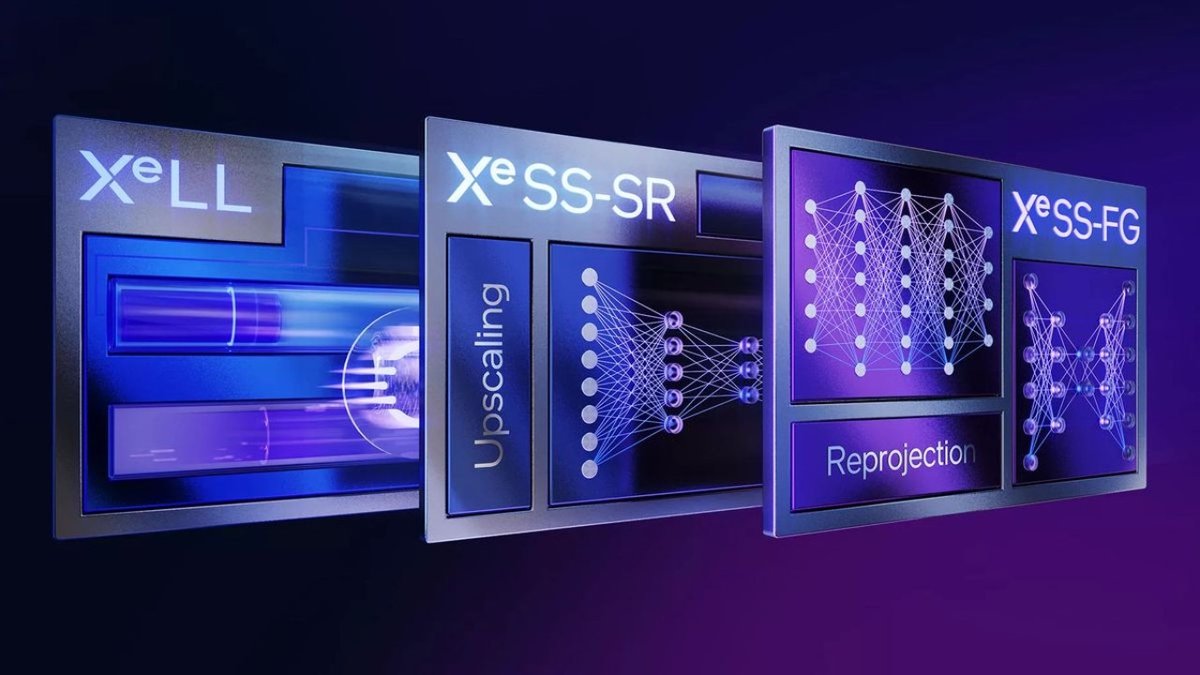
Intel XeSS
Intel's Xe Super Sampling (XeSS) is primarily known as an upscaling technology, similar to DLSS Super Resolution or FSR. However, Intel's Arc GPUs also support driver-level frame generation capabilities, often combined with XeSS upscaling.
- Open Standard: Like FSR, XeSS is designed to be broadly compatible across different GPU architectures.
- AI-Enhanced Upscaling: Its core strength is its high-quality upscaling, using XMX (Xe Matrix Extensions) AI cores on Intel Arc GPUs (or DP4a instructions on other GPUs) for intelligent image reconstruction.
- Emerging Frame Generation: While not as prominent as DLSS 3 or FSR 3's FMF, Intel continues to evolve its driver-level frame generation, aiming to provide similar performance benefits for its hardware.
Maximizing the Benefits: When and How to Use Frame Generation
Given the trade-offs, how do you decide when and how to deploy frame generation for the best experience?
Ideal Candidates for Frame Generation
Frame generation shines brightest in specific types of games and scenarios:
- Single-Player Adventure Games: Titles like God of War, Horizon Zero Dawn, or Spider-Man Remastered are perfect. They prioritize stunning visuals and cinematic smoothness over split-second input response.
- Role-Playing Games (RPGs): Think of the vast worlds of The Witcher 3 or Baldur's Gate 3. The focus is on exploration, story, and immersion, where extra frames make the experience more fluid without penalizing critical timing.
- Open-World Sandboxes: Games like Grand Theft Auto V or Red Dead Redemption 2 benefit immensely. More frames make cruising through detailed cities or sprawling landscapes feel incredibly smooth.
- Visually Demanding Titles: Any game that pushes your GPU to its limits and struggles to hit a comfortable frame rate can see significant improvement.
When to Think Twice (or Disable It)
- Competitive Online Multiplayer: For titles like CS:GO, Valorant, Call of Duty, or Rocket League, disable frame generation. The added input latency, even if minor, can put you at a disadvantage against players with lower latency. Raw FPS and responsiveness are king here.
- Rhythm Games or Other Precision-Timing Titles: Any game where precise, immediate input is crucial will suffer from frame generation.
Your Playbook for Optimal Frame Generation
To get the most out of frame generation while minimizing its drawbacks, follow these steps:
- Set a Stable Base Frame Rate: Frame generation works best when it has a good foundation. Aim for at least 45-60 native (raw) frames per second before enabling frame generation. If your base frame rate is too low (e.g., 20-30 fps), the generated frames will be based on too few "real" frames, leading to more noticeable artifacts and a less smooth overall experience.
- Activate Upscaling First (e.g., DLSS/FSR Quality): Always enable your chosen upscaling technology (NVIDIA DLSS Super Resolution, AMD FSR, or Intel XeSS) in a "Quality" or "Balanced" mode before frame generation. This gives your GPU more headroom by rendering at a lower internal resolution, ensuring a higher and more stable base frame rate for the frame generator to work with. For more on this, check out our guide on DLSS vs. FSR and which might be better for you.
- Enable Frame Generation: Once upscaling is active and you have a solid base frame rate, turn on frame generation. Monitor your effective FPS. You should see a substantial jump.
- Utilize Variable Refresh Rate (VRR) Monitors: Technologies like NVIDIA G-Sync or AMD FreeSync are your best friend with frame generation. They synchronize your monitor's refresh rate with the fluctuating frame rate of your game, virtually eliminating screen tearing and stutter, ensuring a buttery-smooth visual experience even with generated frames. This is a key consideration when choosing the right gaming monitor.
- Test Responsiveness and Fine-Tune: Play for a bit and pay close attention to how the game feels. Does input feel sluggish or delayed? If the input lag is bothersome, particularly in faster-paced single-player games, consider disabling only frame generation while keeping upscaling active for performance. You'll still get a decent boost from upscaling without the latency penalty of generated frames. Experiment with different settings to find what feels best for you in each game. These steps are part of a broader strategy for optimizing your gaming PC settings.
Looking Ahead: The Future of Frame Generation
The journey of frame generation is just beginning. What started as a promising but sometimes imperfect technology is rapidly evolving. We can expect several key advancements in the coming years:
- Deeper Game Engine Integration: As developers gain more experience and tools, frame generation will likely become a more fundamental component of game engines, allowing for even more accurate frame prediction and fewer artifacts. This deeper integration could unlock performance gains that are currently unimaginable.
- Reduced Latency Penalties: Through further AI advancements, more sophisticated motion prediction, and better system optimizations (like tighter integration with latency-reducing technologies), the input lag associated with frame generation is expected to shrink significantly. This could eventually make it a viable option even for some competitive players.
- Improved Artifact Handling: The AI models are constantly learning and being refined. We'll see continuous improvements in how the technology handles complex scenes, dynamic lighting, and rapid movement, leading to even fewer visual glitches.
- Broader Hardware Support: As rival technologies mature and open standards gain traction, frame generation, in various forms, will likely become a standard feature across a broader range of graphics cards, from entry-level to high-end.
The ongoing evolution of frame generation promises to make high-fidelity, high-frame-rate gaming more accessible and enjoyable for everyone, regardless of their hardware budget.
Embracing the Frame Generation Revolution
Frame generation is a genuine leap forward in gaming technology, offering substantial performance boosts and smoother gameplay that can transform your gaming experience. It's not without its quirks, primarily the trade-off with input latency and the occasional visual artifact. But by understanding its mechanics and knowing when and how to apply it, you can unlock a new level of visual fluidity and performance from your current gaming rig, enjoying modern titles at settings and frame rates that would have been impossible just a few years ago.
For single-player adventures, immersive RPGs, and sprawling open worlds, frame generation is an absolute game-changer, pushing your visuals to cinematic heights. While competitive players may still opt for raw performance, for the rest of us, it represents a powerful tool in our quest for the ultimate gaming experience. Experiment with it, understand its nuances, and you might just discover your games have never looked or felt better.